
Technology
15 min read
Unihertz Titan 2: My DIY Clicks Communicator Experience
Android Police
January 18, 2026•4 days ago
AI-Generated SummaryAuto-generated
The author experimented with installing Niagara Launcher on a Unihertz Titan 2, simulating the user experience of the upcoming Clicks Communicator. This setup offered a cleaner, less cluttered interface, allowing for intuitive navigation with the physical keyboard. The author found the launcher beneficial for focus and ease of use, increasing anticipation for both the Titan 2 Elite and Clicks Communicator.
It’s no secret that I’ve missed BlackBerry phones.
I’m encouraged that 2026 is bringing not one, but two new physical keyboard devices to the market: the Clicks Communicator and Unihertz Titan 2 Elite. But I’m as impatient as they come.
I turned my Google Pixel Fold into a Windows Phonebecause I wanted to experience Live Tiles again, and I’ve come up with a similar workaround for my Unihertz Titan 2.
When I heard Clicks was working with Niagara Launcher for the UI of the Clicks Communicator, I got curious.
What if I skipped a step for now and tried out Niagara Launcher on my Titan 2?
I learned a lot about how I use my smartphone, and I’ll be more open to experimenting with different launchers in the future.
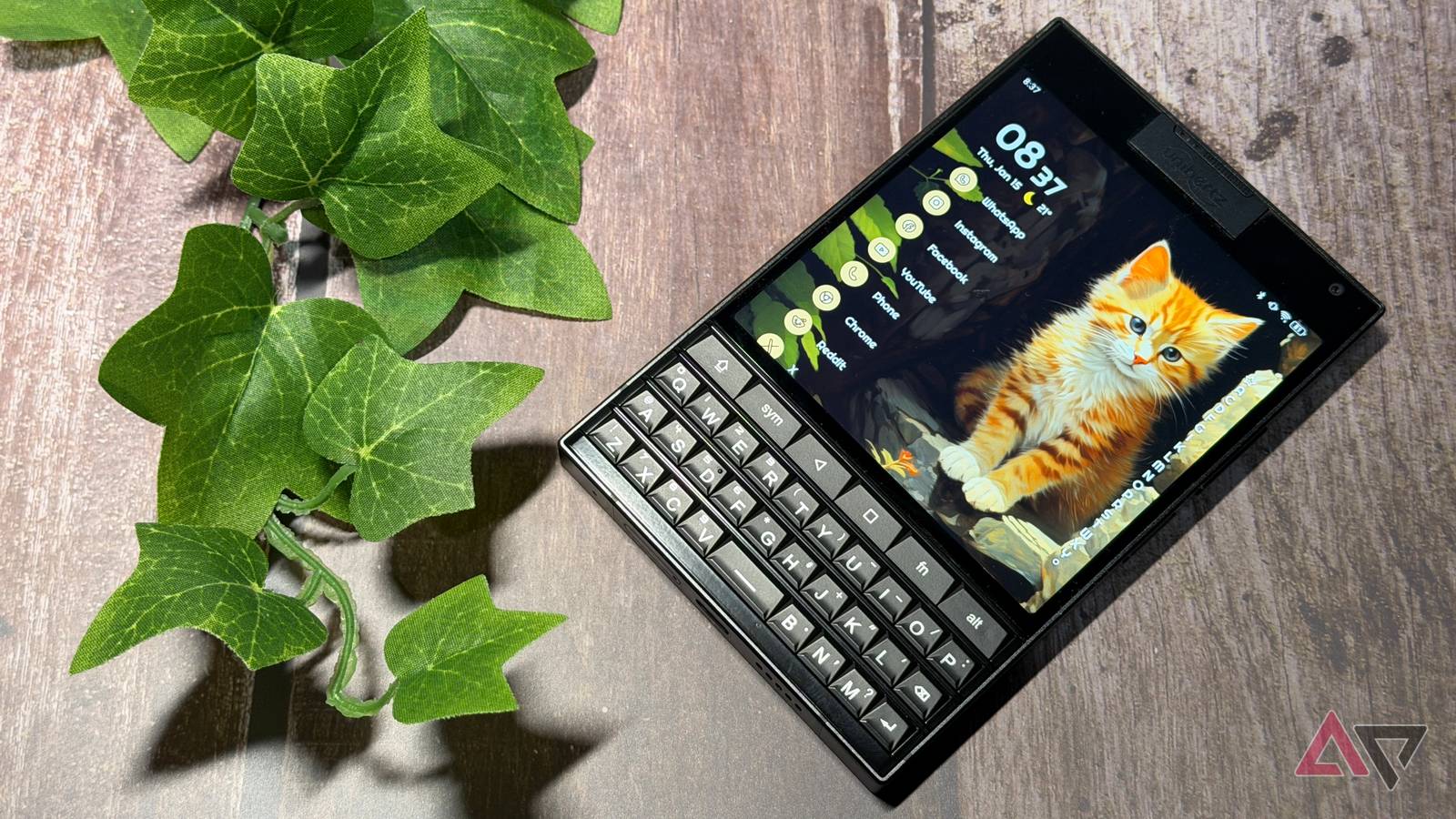
I turned my Unihertz Titan 2 into a Clicks Communicator (sort of). Here’s what happened.
Niagara Launcher took some getting used to
Muscle memory was completely broken
When I first set up Niagara Launcher, my fingers were at a loss. I’m so used to swiping and selecting my apps a certain way that it felt like my brain was short-circuited.
After a few minutes, I started to settle in, and Niagara Launcher is more intuitive than I thought. I selected the apps I wanted on my home screen and dove right in.
It’s worth noting that I immediately signed up for the seven-day free trial of Niagara Pro.
I’ll wind up paying the $14 for the year, and I think the $43 lifetime license is worth it if you like using it.
I’ve paid more for less, and while you can get by with the free version just fine, I wanted the extra customization options.
I didn’t add too many widgets to my home screen.
They’re available if you need them, but I figured that if I’m opting for a launcher designed to simplify my user experience, I should probably let it do just that.
I picked out a relatively clean theme (with a cat wallpaper, of course) and started using it.
2026 is going to be the year of simplicity
I enjoyed having a cleaner layout
It’s not for everyone, but I’m glad I gave Niagara Launcher a chance, and I can see why it’s ideal for keyboard phones like the Titan 2 and Clicks Communicator.
The capacitive keyboard works well with the Niagara Launcher on the Titan 2, so I can scroll through my list without touching the screen.
It doesn’t take long to see the appeal. Notifications are displayed cleanly right by the app, and there’s a distinct lack of clutter.
I’m awful at customization, but it doesn’t take much effort to bring Niagara Launcher into a good spot.
I can clear notifications by checking the app or swiping down and dismissing them; either will remove them from the home screen.
There’s definitely less noise, and I feel less overwhelmed.
I enjoy the flexibility of having my most-used apps right on the home screen, while knowing the rest aren’t far away.
I’ve used focus-oriented launchers before, but they’re a little too focused. It takes too much effort to get to the other apps I need or to break out of the focus shell.
That may be the point for some, as you want to limit the temptation of distractions, but I’d rather be able to get to my full app list more easily, since I don’t want to list everything on the home screen.
I can simply drag my finger against the right edge of my home screen and get my entire list.
If I drag all the way to the bottom, I can pull up my Niagara settings to change my layout or widgets.
I’m even more excited about the Clicks Communicator
Solid software is essential to the user experience
I love seeing a return of purpose-built devices in 2026.
I’m tired of compromising with expensive slab smartphones. I want a phone for communication and light social media use. It’s fantastic to see companies start to cater to niche markets again.
I’m already enjoying the Unihertz Titan 2, and I’m looking forward to what Clicks and Unihertz have in store for their upcoming phones.
I’m encouraged that Clicks understands that BlackBerry was about more than just the physical keyboard.
Software played an integral part in the experience, and working with Niagara Launcher is a step in the right direction.
The old BlackBerry Hub and Inbox don’t work as well for me as they used to, so I’m loving that there is a suitable replacement around the corner.
2026 is a great year to reevaluate why you use smartphones
We’ve been trained to buy the most expensive flagship with all the power and features, whether we use them or not.
A new year is a fantastic opportunity to reevaluate how you use technology in your life.
Maybe you’re better served carrying around a $400 phone and a $500 camera, instead of settling for compromises in the name of convenience.
It’s not a lifestyle for everyone, but I think more people would enjoy it.
Rate this article
Login to rate this article
Comments
Please login to comment
No comments yet. Be the first to comment!