
Technology
26 min read
Surfans F20 Pro Review: Relive Your iPod Days with Modern Tech
SoundGuys
January 21, 2026•1 day ago
AI-Generated SummaryAuto-generated
The Surfans F20 Pro music player offers a nostalgic experience with modern features like streaming service integration and physical buttons. It runs Android 12, supports Wi-Fi and Bluetooth, and boasts high-resolution audio capabilities. While praised for its solid build and sound quality, it faces criticisms regarding button feel, software quirks, and user interface lag.
If you’re feeling nostalgic and missing your original iPod, the Surfans F20 Pro might be for you. This music player combines the modern convenience of streaming services with the old-school feel of physical buttons. With it, there’s no need to find albums and rip them from the CD, and no need to hunt down MP3 files. With an old-school design packed full of modern tech, is the Surfans F20 Pro the do-it-all modern music player? Let’s find out.
About this Surfans F20 Pro review: We tested the Surfans F20 Pro over a period of 4 days. It was running Android 12. The company provided the unit for this review. This review was expedited as part of a paid collaboration with Surfans. We retained full editorial independence — the brand did not preview or approve this article, and all opinions are our own.
What I like about the Surfans F20 Pro
Out of the box, the build of the Surfans F20 Pro is solid. You get a premium feeling device, though it is still pretty lightweight at only 170 grams.
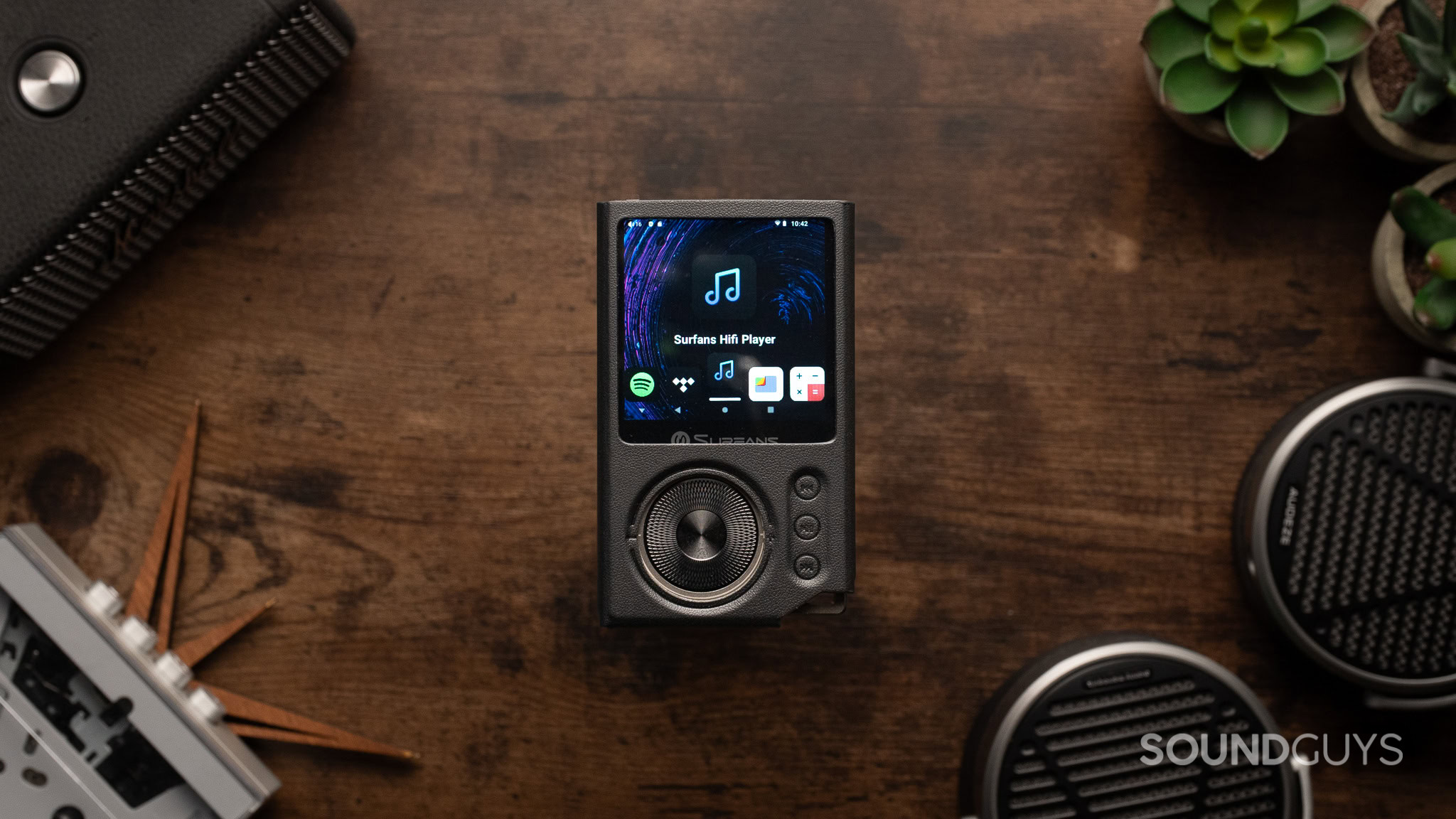
The corner of the device has a lanyard loop, which I appreciate, as I like to put on a camera quick-release wrist strap to avoid dropping the device. The front reminds me of an iPod Classic, thanks to the circular jog wheel. Unlike an iPod though, there are also separate controls for playback, clearly identifying play/pause and skip functions. Another difference from the iPod Classic devices of old is the touch screen functionality, thanks to the 2.73-inch, 320×320 pixel display. The display menu is easy to navigate; it follows the same UI as most side-scrolling app menus. All the options are bold and obvious, so I’d be surprised if you missed something.
Jhaycee Calvez / SoundGuys
Expandable storage is a nice perk for those with large music libraries.
Powering the device is an Octa-Core Processor with 3GB RAM. While this doesn’t hold a candle to modern smartphones, it’s more than powerful enough for basic music listening tasks (which is what this device is intended for). To those who have used Android, the Surfans F20 Pro is on a version of Android 12, which makes it easy to go through the settings if you so choose. This makes for a great transition point if you want to move away from your smartphone for a period of time.
With Wi-Fi and Google Play support, you can still access your favorite apps from the F20 Pro. Spotify and Tidal are pre-installed. If you prefer Qobuz, you can use the Google Play Store. Installing apps is as easy as logging in and installing the app. The Surfans F20 Pro is made for those who are between streaming services and amassing a collection of personal audio files. With the expandable storage via microSD card, you can also easily bring over your old music library. The microSD card slot supports cards up to 1TB, with a 32GB microSD card included and pre-installed.
Does the Surfans F20 Pro sound good?
When it comes to sound quality performance, the Surfans F20 Pro is similar to a premium desktop DAC. That is to say, the specs here are more than good enough to pass most listening tests, and your music should sound as you expect it to. The dual ESS9018K2M DAC Chip + Dual OPA1612 Operational Amplifiers deliver ultra-high resolution audio formats such as DSD 512 and 192kHz/24bit. The 2500mAh battery can power the DAC all day without any problems.
For fans of wired connections, not only do you get a 3.5mm jack, but there’s a 4.4mm penteconn jack as well. There are two gain modes, a low and a high gain. The high gain can push high impedance headphones easily, with balanced output power reaching up to 500mW. Both sound clean with no noticeable noise, even at higher volumes. Surfans says that the total harmonic distortion (THD) is only 0.001%, which is imperceptible.
Jhaycee Calvez / SoundGuys
This device is a lot more convenient than the good old days of ripping CDs.
When listening to “What a Lovely Masquerade” by Lappy on streaming services like Spotify with IEMs like the Sennheiser IE 600, I noticed minimal difference when comparing it directly side by side with my regular desktop DAC. When listening through the Surfans player with my local FLAC files of the Hollow Knight Original Soundtrack instead, I noticed a bit of compression, but not enough for it to be unenjoyable. When using the low-gain setting, there seems to be a slight reduction in detail, but it’s hard to notice.
If you want to move away from your phone, but still have the convenience of wireless headphones, the Surfans F20 Pro also has support for the LDAC codec for high-resolution streaming over Bluetooth.
What I don’t like about the Surfans F20 Pro
While I’m a big fan of tactile controls, I don’t love the feel of these ones. The jog wheel doesn’t have any perceivable dampening, and the chamfered sides are sharp enough to scrape my fingers. When using the case, I find that it pinches the thumb between the chamfered edge. The case is just a bit too thick and close to the top, making it difficult to pull the menu. The playback buttons have a bit of a mushy feeling pre-travel and scrape the housing on the left-hand side. Using my left hand to press the buttons negates the scraping, but not the mushy pre-travel.
A strange quirk I found is that you can’t use the buttons while locked, and I wasn’t able to find a way to turn off the setting that allows me to control playback or volume without the screen unlocked. I have to press the power button, and then take the action. Another strange software issue is the auto-power save. This is set to 10 minutes by default. You’d think this is fine, but it turns off the device entirely, and the boot-up time takes longer than I’d like. To turn on the Surfans F20 Pro, you have to hold the power button for 3 seconds. After that, you’re on a loading screen for 36 seconds. I also found a bug that shows there’s no battery when in the power off state, even when fully charged and plugged in, although I expect this will get remedied with a software update.
Jhaycee Calvez / SoundGuys
Physical buttons remind me of the old days, for better and for worse.
While it’s easy to find apps and settings on the device, changing the settings themselves is a bit frustrating. I also found scrolling through songs can be plagued by lag and accidental presses. The issues persist when scrolling through menus in apps. It would have been nice if the jog wheel also functioned as a scroll wheel (like with the iPod), but all it seems to do is adjust volume. For a product that uses buttons as a prominent feature, it’s more of an aesthetic choice than a functional one.
Finally, as an audiophile, I’d like to see a selection of EQ options included with the F20 Pro. The standard Surfans F20 includes a few EQ presets, which are absent here. A full custom parametric equalizer would be a great addition for those who like to tinker with sound quality.
Should you buy the Surfans F20 Pro?
Jhaycee Calvez / SoundGuys
If you’re nostalgic for music listening devices, the Surfans F20 Pro might be for you.
For $150, the Surfans F20 Pro has a lot to offer. It builds on the music players of old with a modern user interface and conveniences such as a touchscreen and streaming integration. If you are looking to leave your smartphone at home, but still want to carry around your Spotify library with you, you might consider the F20 Pro. It delivers excellent sound quality specs and has enough features to function as a daily driver for music playback.
That said, I also found the F20 Pro runs into some of the same issues as the music players of old when it comes to interfacing with the device. It feels a bit slow and clunky to use, and you’ll have to swap microSD cards if you have a large audio library. If you’re alright with making those sacrifices for a taste of nostalgia and some time away from your smartphone, the Surfans F20 Pro is worth checking out, especially if you catch it on a discount.
Surfans F20 ProSurfans F20 Pro
Wi-Fi and Bluetooth support • Android 12 with Google Play Store apps • Good sound quality
MSRP: $149.99
A modern take on a portable music player.
The Surfans F20 Pro is like an iPod Classic, but with Wi-Fi, Bluetooth, and all your favorite streaming apps. You can leave your smartphone at home, and listen wired or wireless with this handy music player.
Surfans F20 Pro Pro review: FAQs
No, there is no water resistance rating for the Surfans F20 Pro.
Was this helpful
No, the Surfans F20 Pro does not have a Bluetooth receiving mode, but it can transmit audio over Bluetooth.
Was this helpful
Yes, even when on Android 12, you can enable Spotify Lossless when in the Spotify settings.
Was this helpful
You might like
Follow
Rate this article
Login to rate this article
Comments
Please login to comment
No comments yet. Be the first to comment!