
Technology
7 min read
PowerToys v0.97.0: Command Palette Gets Major Upgrade
XDA
January 21, 2026•1 day ago
AI-Generated SummaryAuto-generated
PowerToys v0.97.0 significantly enhances the Command Palette. Users can now control PowerToys utilities, switch FancyZones layouts, and pick colors directly within the Palette. The update also introduces Peek for file previews and an optional cursor wrap feature across multiple monitors. These improvements streamline workflow by consolidating access to various PowerToys functions.
Summary
PowerToys v0.97.0 revamps Command Palette with built-in PowerToys controls and Peek.
Toggle utilities, switch FancyZones layouts, pick colors — all without leaving the Palette.
Adds optional cursor wrap across monitors to move the pointer from one edge to the opposite.
It has been a while, hasn't it? The last time we saw a PowerToys update, it was back in November of last year. It added some nice features to the Command Palette, and it was very welcome. However, it seems that the PowerToys team still isn't quite finished yet, as they've released yet another update for the palette, and this time, a lot has changed.
PowerToys v0.97.0 makes huge changes to the Command Palette
But that's not all
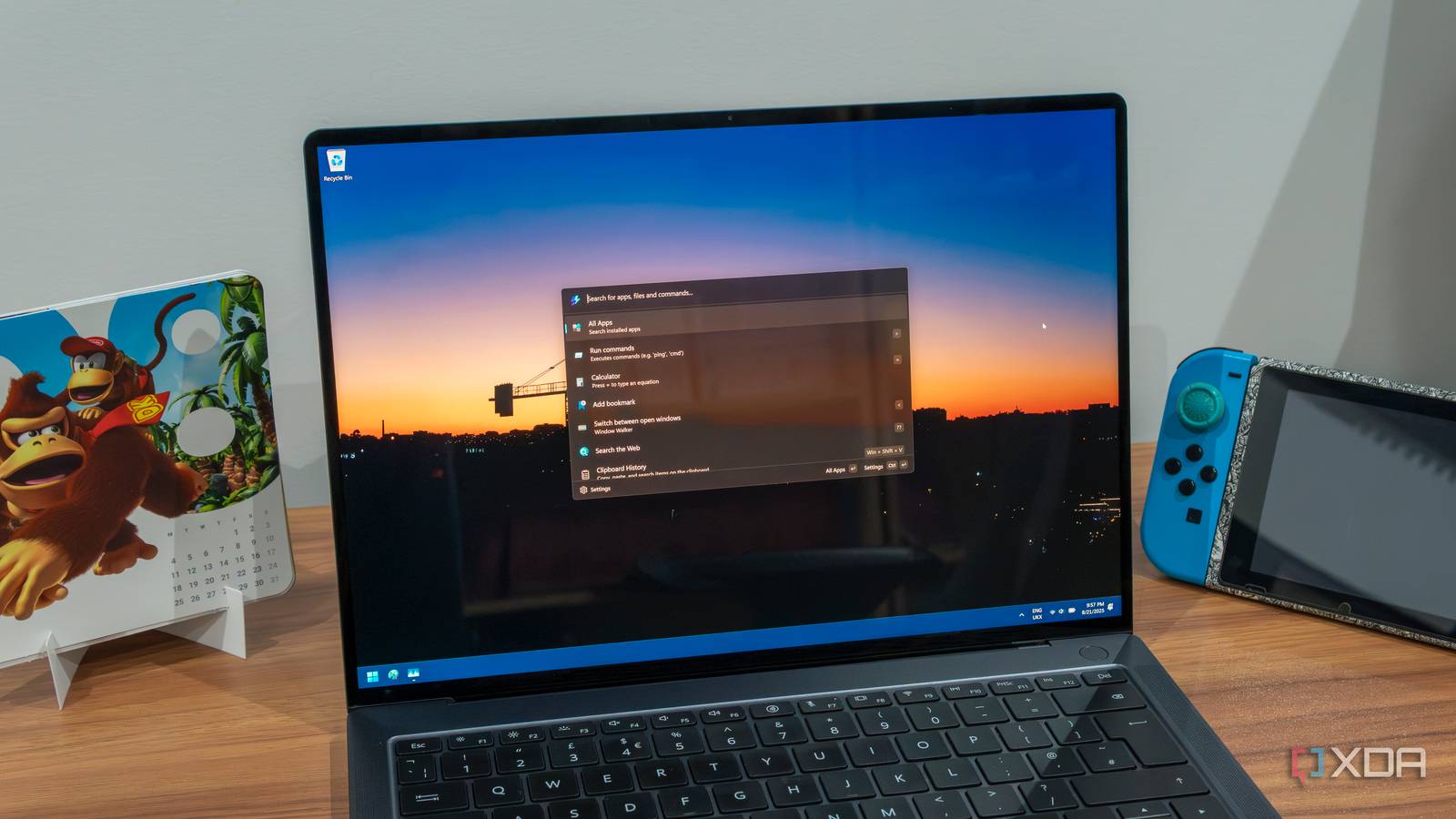
Over on the PowerToys GitHub page, the team has proudly released version 0.97.0. There's a lot to go into with this patch, but the star of the show is definitely all of the changes made to the Command Palette. The patch introduces new customization options and the ability to tweak fallback options, but the biggest change is this one:
Control PowerToys directly from Command Palette
This was a big community request. A new built-in PowerToys extension now lets you control PowerToys features straight from Command Palette. You can toggle Light Switch, switch FancyZones layouts, pick a color, and more, all without leaving Command Palette. Just make sure the utilities you want to use are enabled in PowerToys settings. On top of that, you can now use Peek to preview files and folders within Command Palette!
You can see the changes made in the GIF above. Sure enough, you can now find common actions for PowerToys apps right in the Command Palette. Saves a ton of time over opening each tool's page, at any rate.
The patch also adds a new cursor wrap feature you can enable if you like. Once turned on, you can move your cursor off one side of the screen, and it will "wrap around" to the other side. It works with multiple monitors, too, so you can shunt your cursor off the left edge of the leftmost monitor and it'll appear on the right side of your rightmost screen. Very handy.
Rate this article
Login to rate this article
Comments
Please login to comment
No comments yet. Be the first to comment!