
Technology
11 min read
Don't Make This Common HDMI Mistake with Your New TV
Pocket-lint
January 19, 2026•3 days ago
AI-Generated SummaryAuto-generated
New TV owners may overlook a crucial setting for optimal performance. Simply using an HDMI 2.1 cable isn't enough; users often need to manually enable features like VRR (Variable Refresh Rate) or Dolby Vision within their TV's input settings. This buried setting can prevent consoles and PCs from utilizing high refresh rates, impacting gaming and viewing experiences.
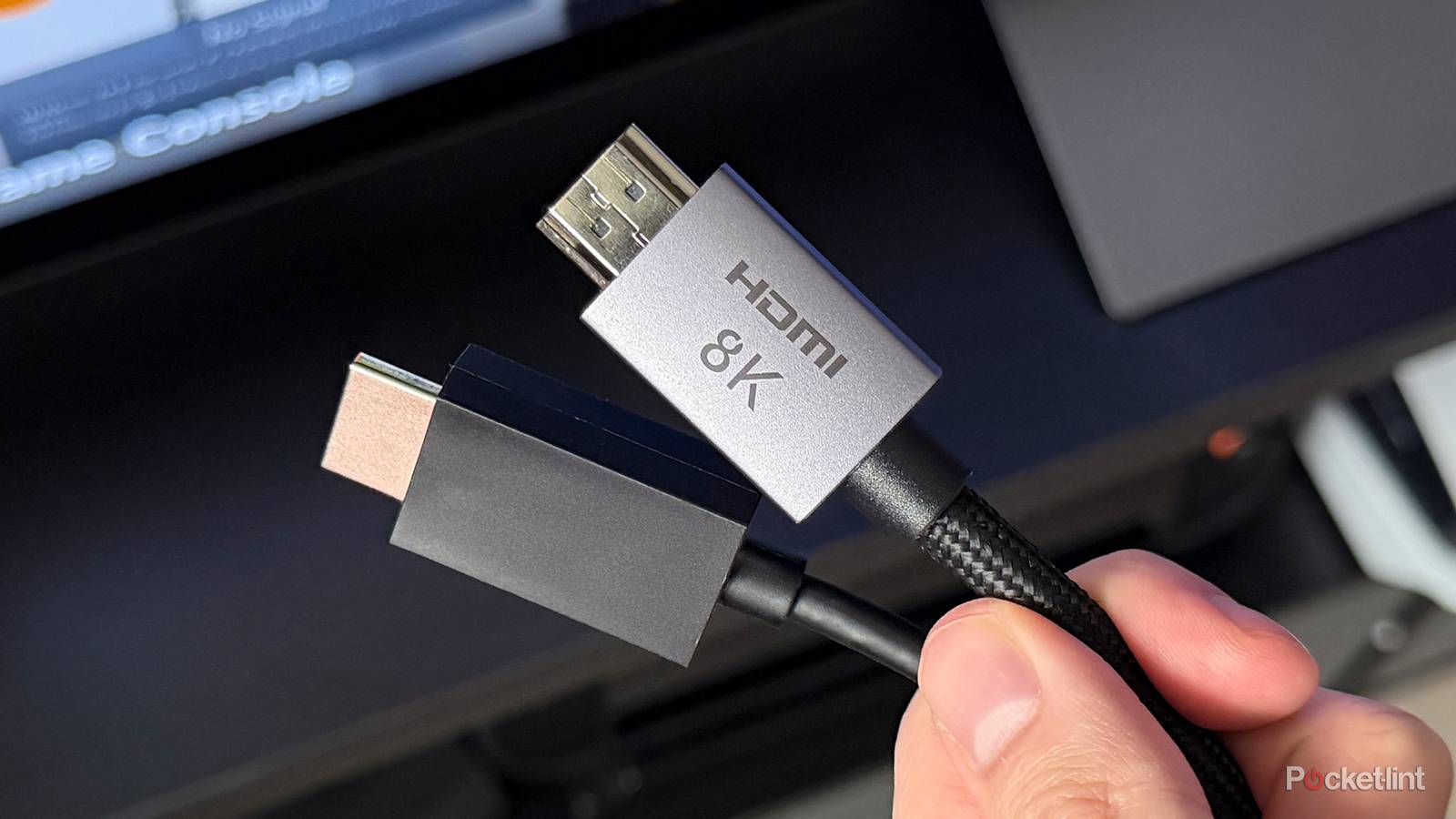
I've been beating the drum about using the correct HDMI cable with your TV, and I really believe it's one of the most important things new TV owners should be aware of. Getting your shiny new HDMI 2.1 cable plugged into your PS5 is just the first step. You might think the journey ends there, but there's an extra step you have to take depending on your TV. My Sony Bravia X90J supports VRR with both the Xbox Series X and PS5, but it only does so if I dig into some settings.
That's right, there's an extra step you may have to take in order to get the most performance out of your console. I would hate to see somebody buy a 120hz TV with the intention of using it with their console, only to never toggle the mode on. I know many people are guilty of the same thing with their PC and high refresh rate monitors, so don't be like them.
Just one more setting to change
One Setting After Another
I wish the cable were the final step, but it's not. For my TV, specifically, I need to access the input settings and change the format to either Dolby Vision or VRR. That's something that's not abundantly clear after you plug in a new TV, and it's an issue if you're using a receiver. I have everything plugged into my receiver, and since I watch movies more than I play games, I typically keep the Dolby Vision setting toggled on. Any time I wanted to use VRR with my Xbox, I had to go into my settings and change the format to VRR.
The answer to this problem was to separate my Xbox's HDMI cable from the receiver and plug it into its own port on the TV with VRR always toggled on. It's the best solution I could come up with, and I'm glad I figured it out because it was very annoying having to go back and forth between the settings. It was even worse when I forgot to change it back from VRR after I was done playing a game.
Due to how buried this setting is, I imagine a lot of people don't even know it exists. That's certainly an oversight, but it's something you'd at least be semi-aware of if you look at the screen on your Xbox telling you what your console can do. If you see the 120 FPS mode isn't enabled, then you know something's wrong behind the scenes.
Your cable is just as important as your settings
The more you know
Who would've thought that just buying the HDMI 2.1 cable wasn't the end of the struggles? To be fair, that's often the case, but it's not with gaming. HDMI, for some reason, requires you to know quite a bit about the format. You especially have to know the difference between 2.1 and 2.0 because, while they are named similarly, the two have different functionality.
It's also a blessing and a curse that your old cables work with new hardware, so I'm sure there's somebody out there with an HDMI 1.4 cable from their PS3 or something plugged into their PS5 without knowing there's anything wrong with that. It'll still work, but you're leaving quite a bit of performance on the table, especially if you have your PS5 paired with a high-end TV. This is why I wish the HDMI format weren't so confusing to somebody who doesn't know the ins and outs of the differences. I don't think the average person should have all these variables, but that's just the way the cookie crumbles, I suppose. Not only is it the cable, but there are the TV settings as well. I just think that's a lot to ask of the average person who just wants to play games.
Rate this article
Login to rate this article
Comments
Please login to comment
No comments yet. Be the first to comment!