
Technology
22 min read
Adobe Acrobat's AI Transforms PDFs into Dynamic Content
The AI Economy | Ken Yeung
January 21, 2026•1 day ago
AI-Generated SummaryAuto-generated
Adobe Acrobat's AI now transforms PDFs into dynamic content. Users can generate presentations, edit documents via chat, and create podcasts from PDF information. These AI-powered features enhance collaboration and streamline content creation, making PDFs more versatile for various users and purposes.
Adobe is doubling down on artificial intelligence in Acrobat, aiming to expand what’s possible with PDFs. Using natural language prompts, users can now turn these digital documents into entirely new formats, from presentations to podcasts.
This update builds on Adobe’s broader push to modernize PDFs for the AI era. Last summer, the company introduced Acrobat Studio, positioning it as a hub for contemporary knowledge work that blends Acrobat’s core capabilities with Adobe Express and AI.
“Acrobat is fundamentally different,” Michi Alexander, Adobe’s vice president of product marketing, asserts in a press briefing last week. “We’re not the Acrobat of the past.” She says use of the app’s AI assistant has increased fourfold, saving users up to 45 percent of their time on document tasks. “We’re not only seeing more users coming in, [but] we’re seeing high repeat use from our users, because they are getting value from [Acrobat’s] AI assistant.”
This traction is fueling Adobe’s “big vision” to transform digital documents, which centers on three pillars: faster access to insights and greater confidence in decision-making, AI-powered sharing tailored to the recipient, and fast, easy content creation.
We already saw the first phase of this Acrobat renaissance with Acrobat Studio. At the core of that offering is PDF Spaces, a centralized knowledge hub that lets users chat with AI about imported files, links, and notes to quickly uncover insights. The service also integrates with Adobe Express to create new content types from PDFs—these static files no longer need to be one-dimensional.
Now, Adobe is taking it one step further, freeing content that was once thought to be locked in the PDF format. Here are four new features coming to Acrobat:
Presentation Generation
Accessible within Acrobat, the “generate presentation” feature produces an outline from what’s in the file and then creates a “polished” presentation. Users can stipulate the length of the presentation and the tone of voice. The creative is powered by Adobe Express with a catalog of over 50,000 professional templates to choose from.
Joe Santiago, a senior evangelist for Adobe, emphasizes that these designs are not set in stone. Users can modify them or apply their organization’s guidelines and styles to create on-brand content—all without leaving Acrobat.
He points out that the Acrobat AI is intelligent enough to understand the audience based on the files it ingests—is it an executive? A teacher or student? Whoever it is, Adobe promises Acrobat will tailor the presentation appropriately for them.
To provide some peace of mind that it’s not hallucinating, the Acrobat AI includes citations in its presentations, showing users exactly where statements and claims appear in the original PDF. Clicking any of them will take you directly to that part of the document.
PDF Editing in Chat
Acrobat is also receiving a chat window from which users can interact with the AI. “Before, you would have had to go to a toolbar and figure out what tool to use,” Alexander explains. “Now, you can just ask [the] AI assistant what you want to do.”
In a demo, Santiago shows how a simple prompt can handle routine PDF cleanup. By typing “delete the last two pages,” he says, the AI assistant confirms the request before removing the blank pages instantly. The assistant can handle a dozen common tasks via natural language commands. Besides the aforementioned page deletion, the AI can delete text, comments, and images, find and replace words and phrases, rotate the file’s orientation, add e-signatures, and apply passwords to documents.
From PDF to Podcast
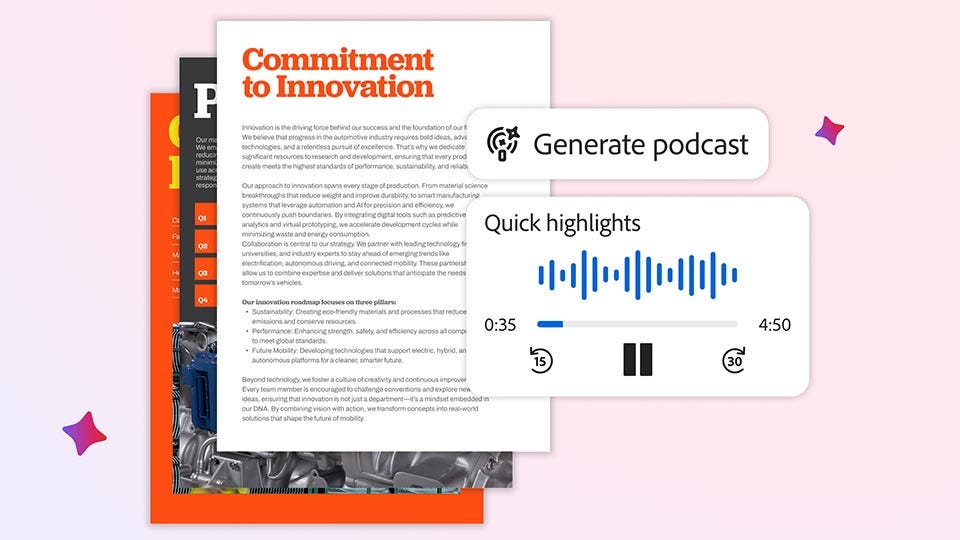
Have you ever received a lengthy PDF and wished there was an easier way to digest its contents? Now you can with personalized podcasts. Similar to Google’s AI Audio Overview in NotebookLM, Acrobat’s new feature will summarize information from notes, transcripts, and other content shared within a PDF Space and convert it into an engaging podcast.
Audio functionality is not new to Acrobat, as Adobe already has its Read Out Loud product. However, as Alexander points out, “we’re seeing users switching to audio to really understand content. This is creating optionality for them, where you can listen to it as a read-aloud, or you can create a podcast audio overview of your transcripts, documents, or more, so that you have a different way to engage and listen to your information.”
Unlike Read Out Loud, which provides an audio transcription of the document, the audio overview is like a podcast you’d listen to on your commute or while working. There are two virtual hosts who go back and forth discussing the referenced material. What would be more entertaining and educational: Having a research paper read aloud verbatim or hearing it in an engaging fashion like it’s morning talk radio?
These podcasts can be consumed anywhere, whether sitting at a computer or on a mobile device.
Adobe has not shared how long these podcasts can be. By comparison, with Google AI Audio Overviews, short summaries could be up to 10 minutes, but if Deep Research is used, those outputs could be longer than 30 minutes.
Team Collaboration in PDF Spaces
Lastly, Adobe is adding the ability for multiple people to work together within a PDF Space. “Our teams are having to work together more and more, and so we have new features in PDF Spaces that really help you work better together, whether it’s inviting users to add new files, they can leave notes or add comments, so that you can work together throughout the process and make sure that you’re on track and staying aligned throughout,” Alexander remarks.
These enhanced features are helpful for the diverse group of users who, Adobe says, are using Acrobat. Not only is the software used by working professionals, but students and consumers are finding it invaluable as well. As it turns out, students are among the heaviest users of Acrobat AI, based on repeat usage and the number of questions they ask. They’re using it to prepare for exams by making study guides, flashcards, and summaries.
“Citations are really key for them, because they have to make sure that information is 100 percent accurate,” Alexander highlights. She goes on to add, “They are turning their notes into visual presentations or resumes, and then this also helps them tailor the content they already have, like a resume or interview, and start to tailor it for each of the conversations or companies that they’re in.”
As for consumer usage, Adobe claims this demographic uses PDF Spaces for “major life moments,” such as buying a home or a car—situations in which they deal with a lot of documents. “Now, two people can go back and forth, adding files to a document, and so you can collaborate a lot better on these major moments.”
All of these new Acrobat AI features are launching today. They’re available through Adobe Acrobat AI plans, including Acrobat Studio and the Acrobat AI Assistant add-on. In addition, the generate presentation capability is included with the Adobe Express Premium plan.
In August, Alexander proclaimed that the future of PDFs will be one in which they’re no longer static documents. “It’ll be something that has all of these different capabilities in it. It has an AI assistant built into it.”
It looks like that future is now.
Rate this article
Login to rate this article
Comments
Please login to comment
No comments yet. Be the first to comment!